
Helping users create AI agents and audience surrogates with DigitasAI—an internal agency tool powering client-facing work.
Project Details
Product Designer
DigitasAI, In-house
January 2025 (4 weeks)
Context
DigitasAI is an internal agency AI platform that produces safe, compliant AI-powered solutions for clients like Visa and Crocs. Its flagship capabilities include generating AI agents and audience surrogates that securely leverage proprietary client data within a controlled, private environment.
Problem: The existing Agent creation flow was overwhelming
Leaving users confused and often abandoning the flow because of technical jargon and unclear steps. HMW help users quickly and confidently create custom AI agents and audience surrogates for their clients?
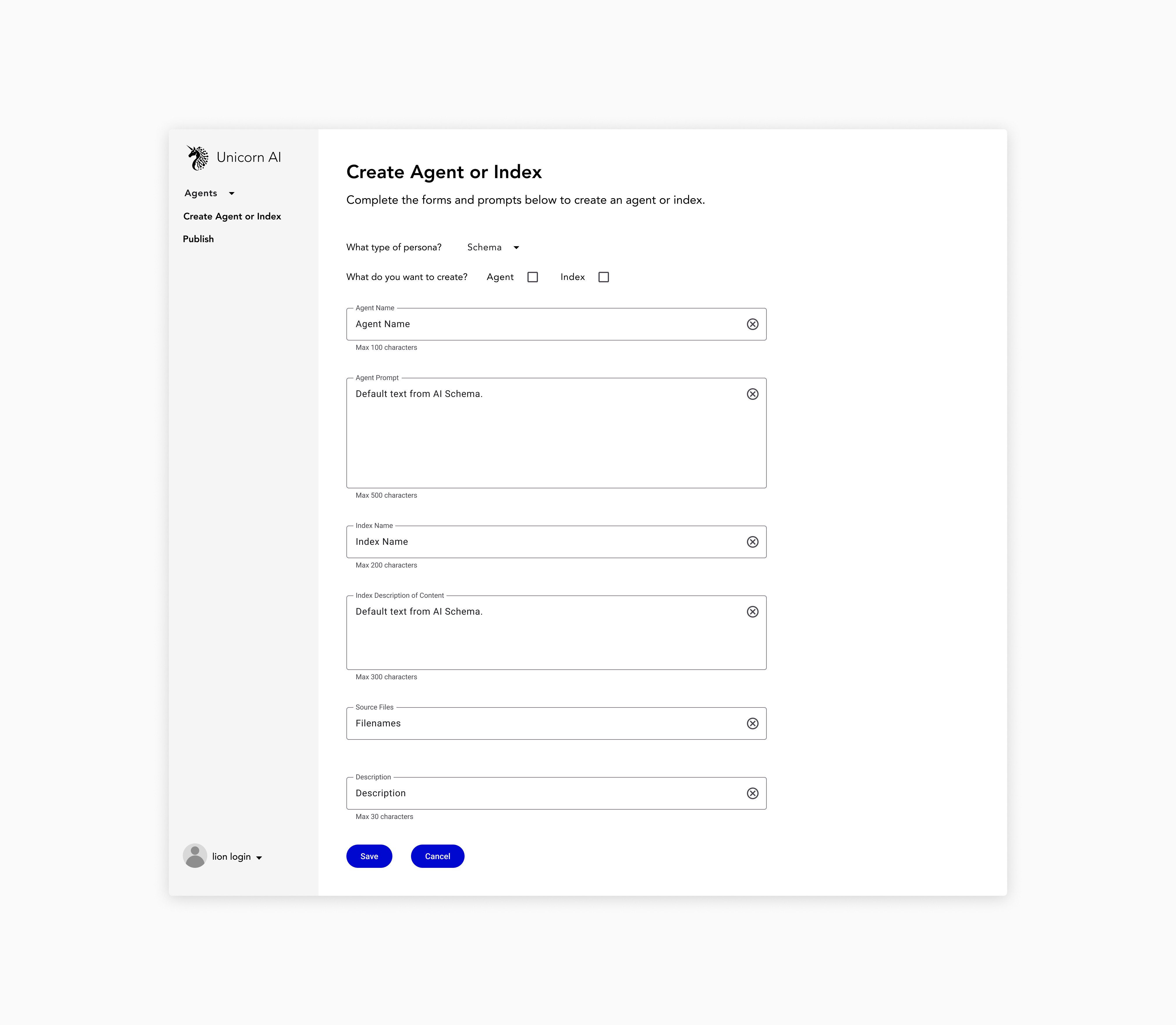
Existing Flow: A single, overwhelming screen with unclear steps.
Business Objectives
Increase feature completion rate and reduce support tickets.
Solution: A guided, multi-step flow for agent creation
Through research, testing, and iteration, I redesigned the experience to improve comprehension and confidence.
Key improvements include:
Progress indicators: Visible steps gave users momentum and orientation to complete the task
Inline education: Tooltips and instructional text clarified technical jargon without overwhelming the UI
Progressive disclosure: Surfaced only what was needed at each step to reduce cognitive load
Redesigned flow: A multi-step flow with clear steps and education.
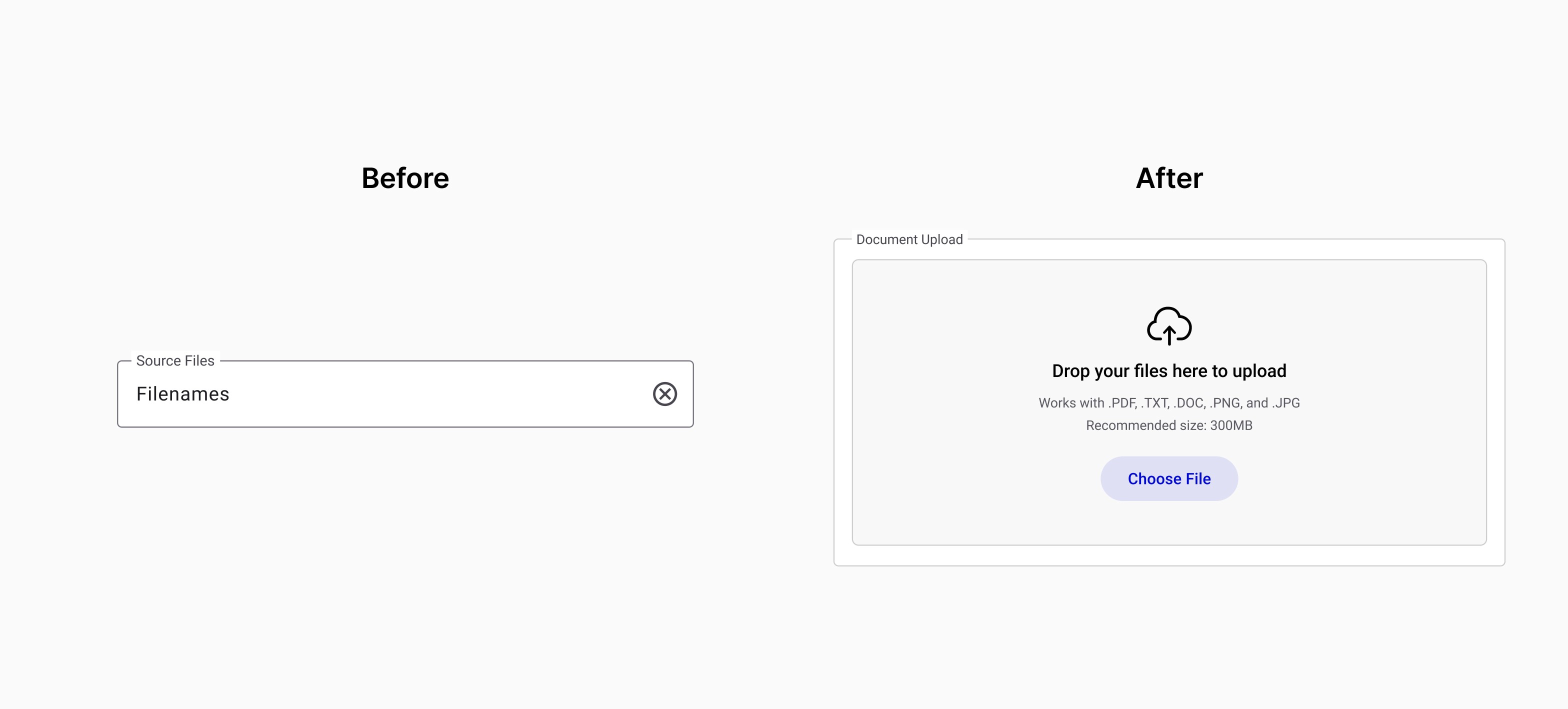
Uploading documents: Previously shown as a plain text field, the action was unclear. The update gives it prominence and clarity, guiding users with confidence.
Success feedback & immediate action: Added confirmation and direct chat option, giving users reassurance and a clear next step with their agent.
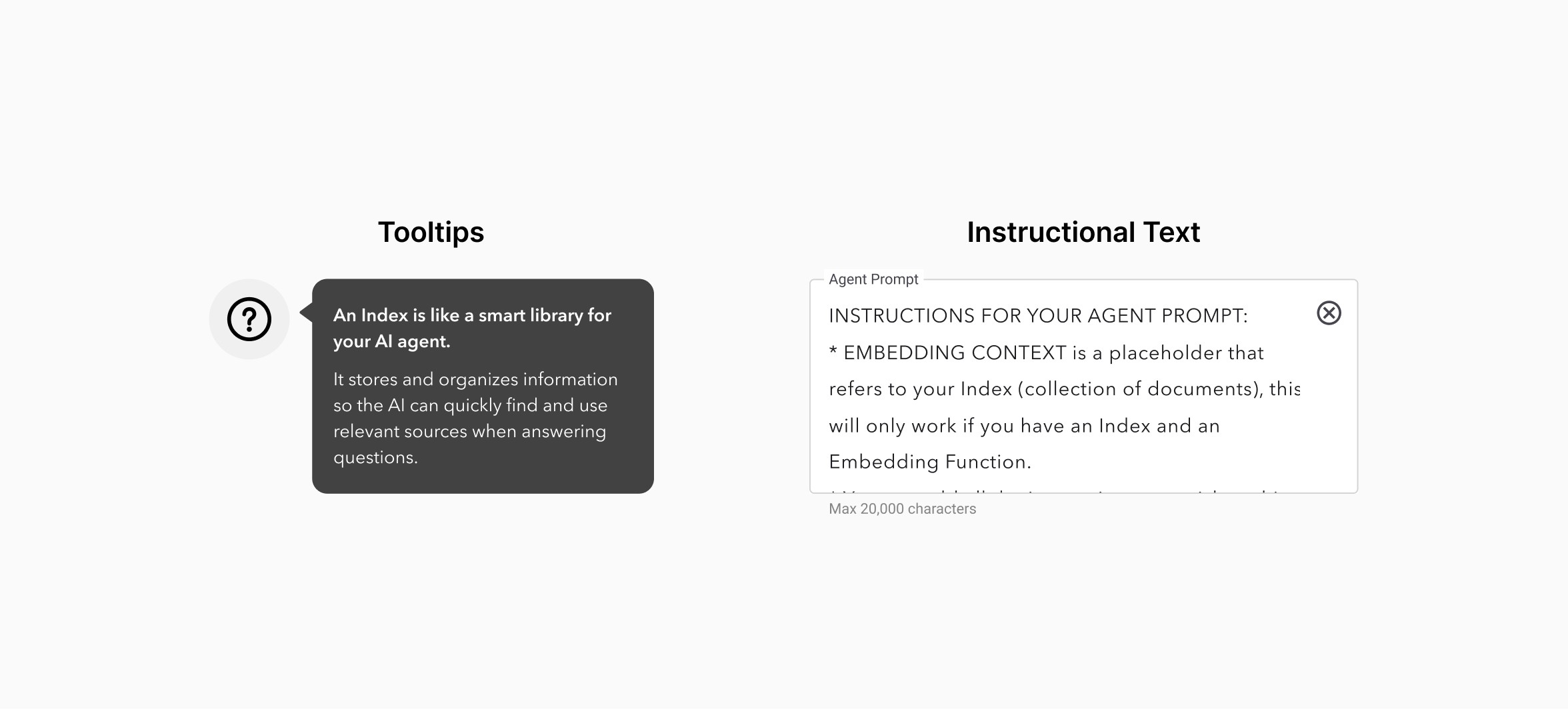
Tooltips & instructional text: Added in-line guidance to educate users as they go.
Impact
90%
increase in task success
Measured through usability testing with 5 users on existing vs. redesigned flows.
Reduced
"Add Agent" support tickets
"I've only gotten one ticket this week, and it was someone telling me that this version was much easier to use."
- Jessica Tosti, PM
Research
To understand pain points of the existing experience, I ran a baseline usability test with five users. Along with landscape analysis to benchmark comparable agent builders.
Key pain points:
The single-screen interface with no clear steps was overwhelming
Technical terms were unclear and caused confusion
Actions like uploading documents had no visible distinction to other text fields, leading to confusion
Lack of success feedback left users frustrated and confused about the outcome of their effort
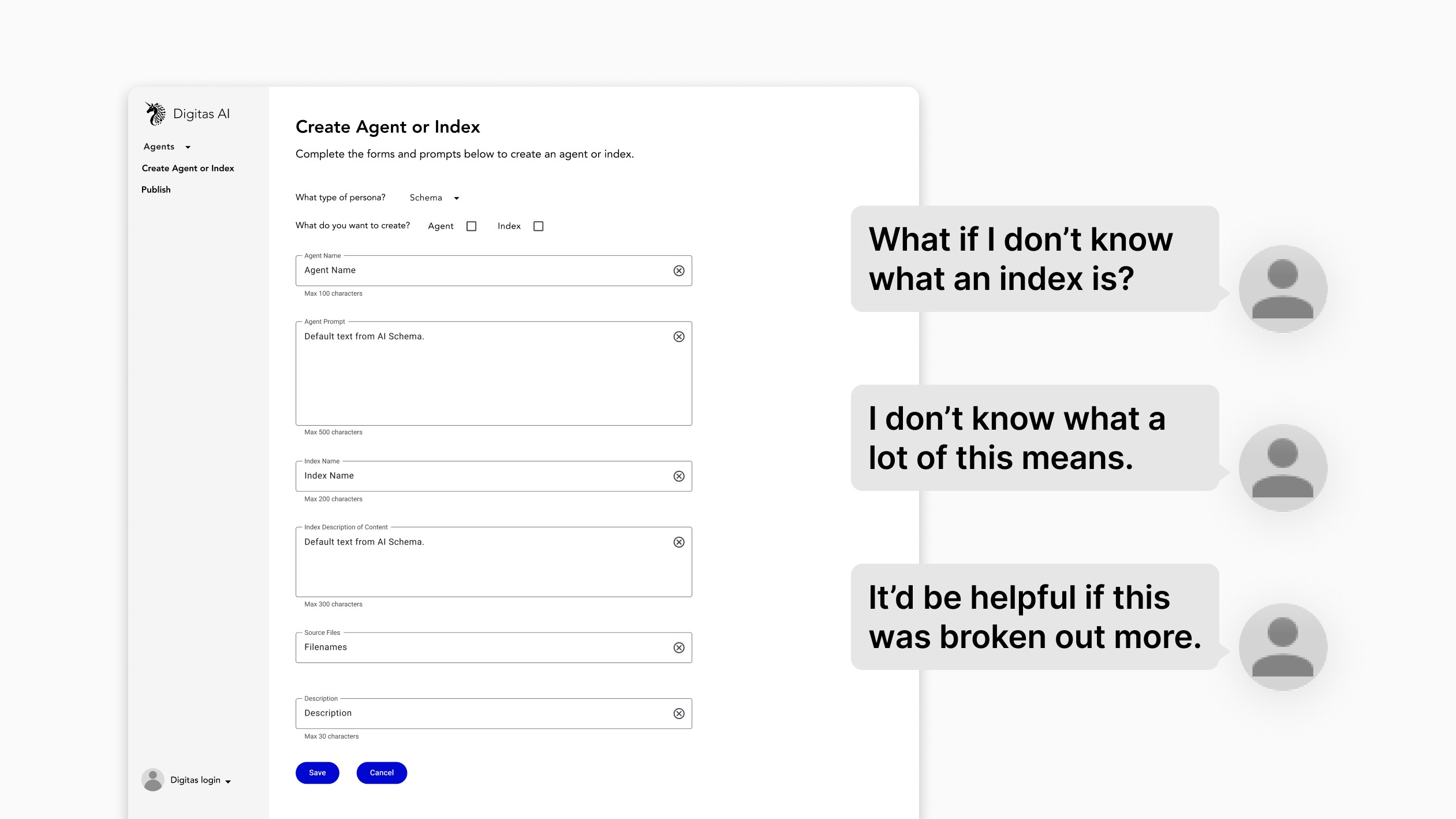
Existing flow and interview snippets.
Define
To synthesize and share my insights from the research phase with my stakeholders, I created problem and how might we statements. This helped me get specific on where to focus my improvements, and set expectations for the rest of my team.
Problem statement: Professionals struggle to create AI agents due to an intimidating single-screen interface that lacks clear steps, educational context, and user-friendly language, resulting in low adoption and high abandonment.
How might we: Create an intuitive, guided agent creation experience that empowers professionals to successfully build custom AI agents through clear education, progressive disclosure, and accessible language.
User flow
I mapped a user’s flow through creating an AI agent. This helped to break the flow into more digestible steps, something that users identified as a need through baseline usability testing. This also helped me to identify opportunities to streamline the flow, introduce progressive disclosure, and prioritize the information shown at each step.
Wireframes
Wireframe
Once the steps were defined, I created wireframes. There were technical constraints around having an onboarding tour, so I pushed for a design that communicated a user's status and education on technical terms using existing components.
Wireframes
User Testing
Wireframes
Final Designs & Delivery
I provided the engineering team with high-fidelity design specs, and I partnered with them and QA to ensure parity with the designs before release.
Wireframes








©️ 2026 Matias Maldonado. All rights reserved.